Aadhaar Card Status – Check Update and Enrolment Status Online
The 12-digit unique identification number issued by UIDAI, the Aadhaar card, is an essential document for availing various government and financial services. Monitoring the status of your Aadhaar application or update is crucial to ensure uninterrupted access to these benefits.
This article provides a detailed guide on the importance, process, and easy methods of checking your Aadhaar card status online or offline, easily and efficiently.
Aadhaar Enrollment Status: After completing your enrollment at an Aadhaar Service Centre (ASK) or Permanent Enrollment Centre (PEC), you will receive a 28-digit Enrollment ID (EID) on your acknowledgment slip. You can check your enrollment status to confirm whether your Aadhaar number has been generated or not. This process typically takes 10 to 90 days.
Aadhaar Update Status: When you request to update your Aadhaar details such as name, address, mobile number, or biometrics online or at an enrollment center, you will receive an Update Request Number (URN) or EID. Tracking your update status helps you verify whether the requested changes have been completed, which usually takes 10 to 30 days.
Both enrollment and update services are free. UIDAI offers several secure channels such as the official website, mobile app, and SMS to track your status.
Required Conditions To Check Aadhaar Card Status
- You must have the 28-digit Enrolment ID (EID) or Update Request Number (URN) received after Aadhaar enrolment or update.
- A registered mobile number is required to receive the OTP for verification.
- To check your online status, make sure you have access to a smartphone, computer, or tablet.
- A stable internet connection is necessary when using the UIDAI website or mobile app.
- For SMS-based status tracking, the mobile number must be linked with Aadhaar.
- Keep the acknowledgment slip safe, as it contains important reference details.
- Enter correct details while checking the status to avoid errors or delays.
Ways To Check Aadhaar Enrollment And Update Status?
Once you enroll for or update your Aadhaar, you can track the status of your Aadhaar number using the methods given below:
Method 1: UIDAI Website (myAadhaar Portal)
The myAadhaar portal is the main platform for checking enrollment and update status.
- Visit the Official website: myaadhaar.uidai.gov.in.
- Now click on “Check Enrolment or Update Status” section.
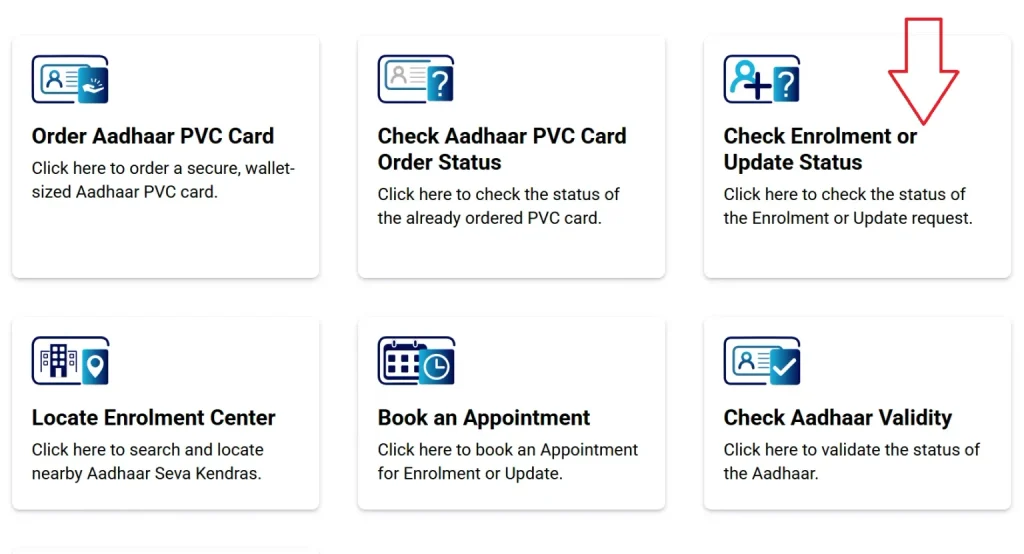
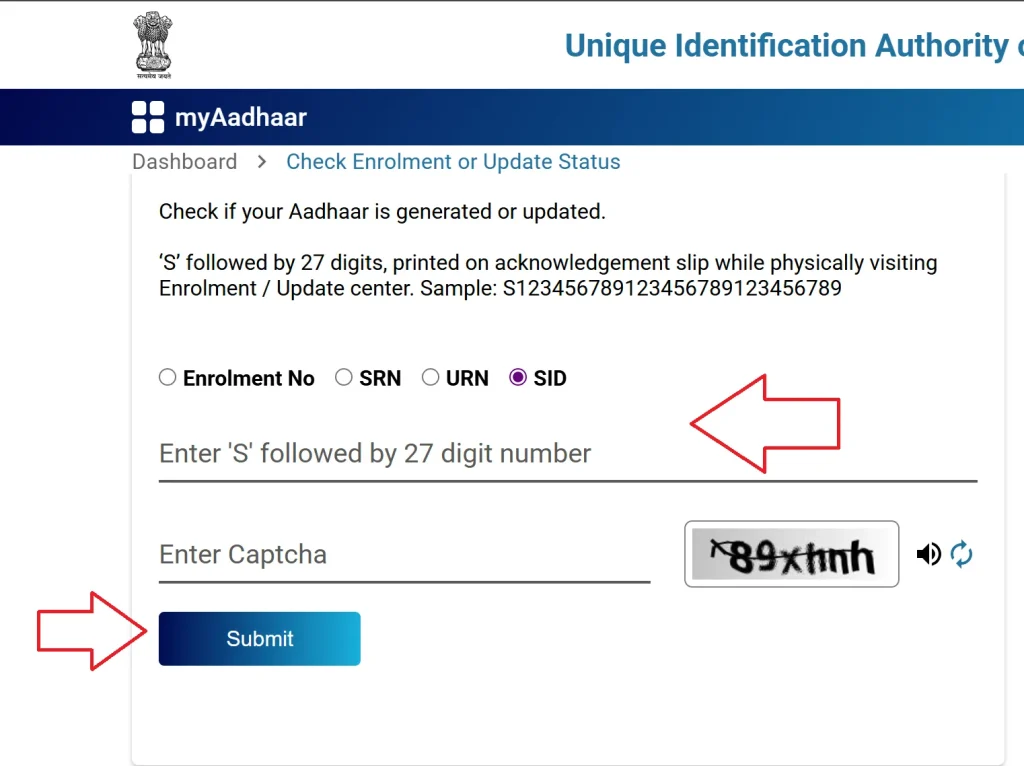
- Enter your “Enrolment No/ SRN/ URN/ SID from the acknowledgement slip.
- Enter Captcha code and click on “Submit” to view the progress.
Processing Time: It generally takes 10–90 days for Aadhaar to be generated. You will be notified by SMS or email if your contact details were registered.
Method 2: mAadhaar App
The mAadhaar App, available on both the Google Play Store and Apple App Store that provide a convenient way to check your Aadhaar enrolment or update status using a smartphone.
- First download and install the mAadhaar app.
- Open the app and choose your prefer language.
- Select Enrolment & Update Status” from the main menu.
- Click on the “Check Status” to view the progress.
- If your aadhaar card is generated then:
- Log in with OTP
- Download e-Aadhaar PDF or view your Aadhaar details.
Method 3: UMANG App
Aadhaar services are seamlessly integrated into the UMANG app along with multiple government applications.
- Download UMANG App from google play, App store or visit web.umang.gov.in.
- Register and Login using your mobile number.
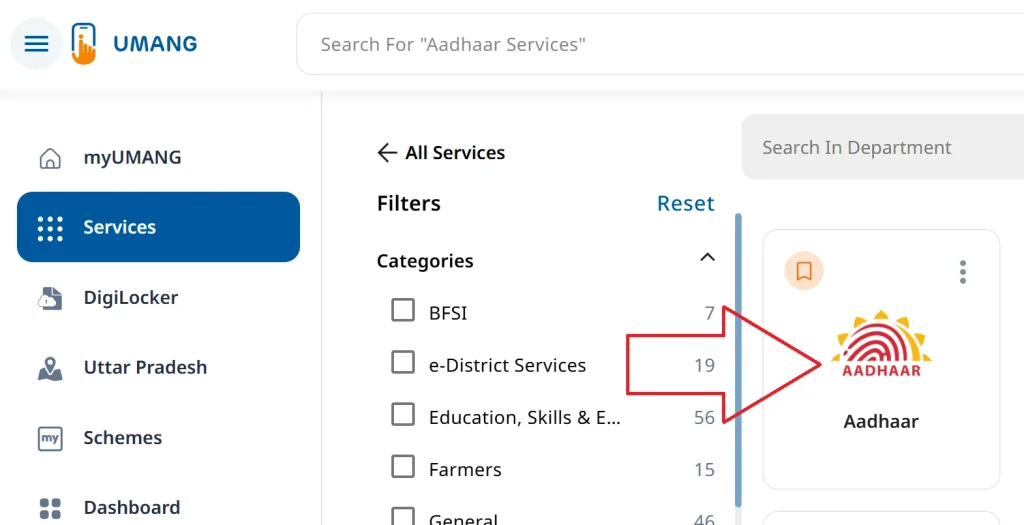
- Choose “Aadhaar” from “All Services”
- Now select “Check Enrolment & Update Status.”
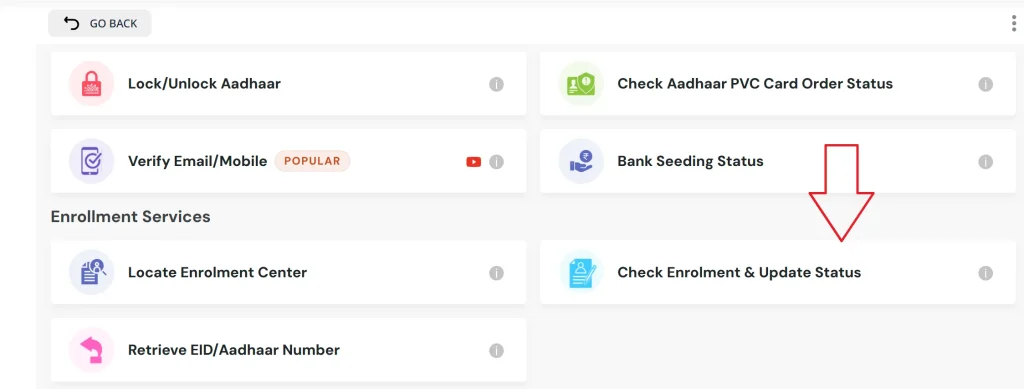
- Enter your 28-digit EID and captcha code.
- Click “Submit” & see your progress.
Method 4: Call On TollFree Number
You can check the status of your Aadhaar enrollment using your registered mobile number by calling the toll-free number 1947. Follow the Interactive Voice Response (IVR) instructions: Press 1 for the enrollment and update status option, enter your Enrollment ID (EID) when prompted, and the system will tell you your current enrollment status.
Retrieve Aadhaar Number/ EID or SID
If you’ve lost your acknowledgement slip then here are several ways to retrieve your aadhaar number or EID/ SID number:
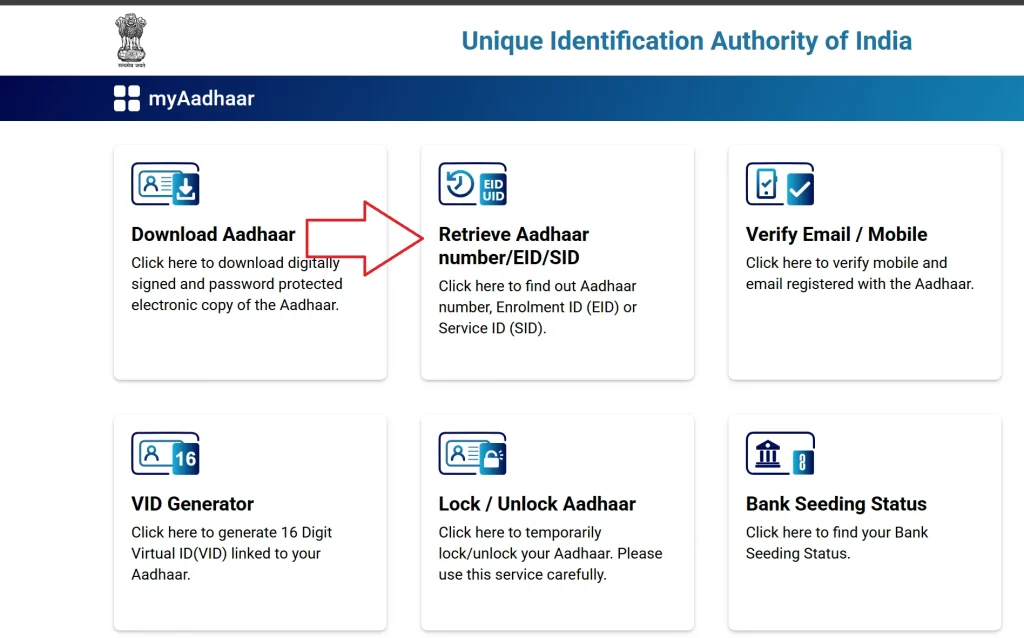
- Go to myaadhaar.uidai.gov.in and select “Retrieve EID/Aadhaar Number.”
- Enter your details with a registered mobile number or email, and fill the captcha code.
- Request OTP and verify your number.
- You will receive your EID or Aadhaar number via SMS or email.
- Use the retrieved EID to check the status or download your e-Aadhaar.
FAQ’s
What is an Enrolment ID (EID)?
EID is a 28-digit number provided on the acknowledgement slip after Aadhaar enrolment, used to track application status.
How long does Aadhaar generation take?
Aadhaar number generation usually takes 10–90 days after enrolment at an Aadhaar Seva Kendra or PEC.
How do I check Aadhaar update status?
Use the URN or EID on UIDAI website, mAadhaar or UMANG app, or call 1947 to track updates.
What if I lost my acknowledgement slip?
You can retrieve your EID or Aadhaar number online at myaadhaar.uidai.gov.in using your registered mobile or email.